

Animation
Motion blur
Moving things blur the way they do on film, with a shutter you set just like a real camera's.
How it works
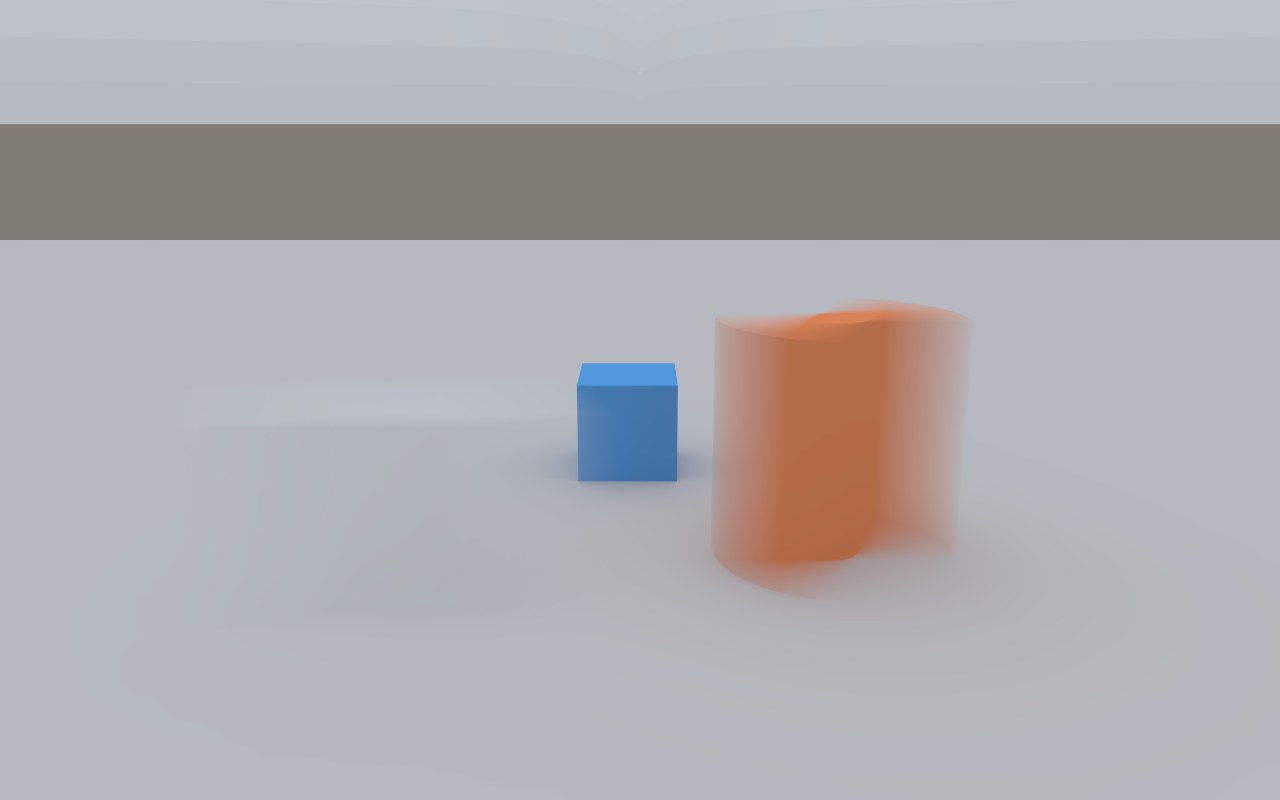
A film camera's shutter stays open for a fraction of each frame, so anything that moves while it's open is smeared along its path. Auddomate does the same: every sample is taken at its own moment while the shutter is open, so the blur happens in the scene itself, in reflections, through glass and in the shadows of moving things.
The shutter
Choose the shutter under Motion blur in the Animation tab. It's measured as an angle, the way cinema cameras describe it:
| Shutter | Look |
|---|---|
| Off | Every frame is a sharp instant |
| 90° | Crisp, punchy action, with short trails |
| 180° | The classic film look, and the default |
| 270° | Smooth and dreamy, with long trails |
The blur follows your frame rate, just as on a real camera: at 24 frames per second, a 180° shutter is open for 1/48 of a second; at 60, for 1/120.
What blurs
Everything that moves during the shutter:
- Objects that move, turn or scale. Turning objects blur along the arc they really travel, not in a straight smear.
- The camera, when it moves through the scene.
- Rigs and morphs: each part of a bending surface blurs along its own path, so a whipping arm softens towards the hand while the shoulder stays crisp.
- Lights that move, along with the shadows they cast.
- Turntables: a fast spin softens along the arc each part travels.
Stills stay fast
Scenes with no motion render exactly as fast as before, because Auddomate only does the extra work for motion blur when something is actually moving.