


Finishing
Glow and glare
The finishing touches of a real camera lens: a soft halo around the brightest light, and star-shaped rays on tiny highlights.
A look on top, never in the light
A real camera lens adds a little of its own character to bright light: a soft halo around it, and sometimes star-shaped rays. Auddomate adds these after it has finished calculating the light, the way a lens does, so they never change the render itself. Both are off by default, and you'll find them under the Render tab.
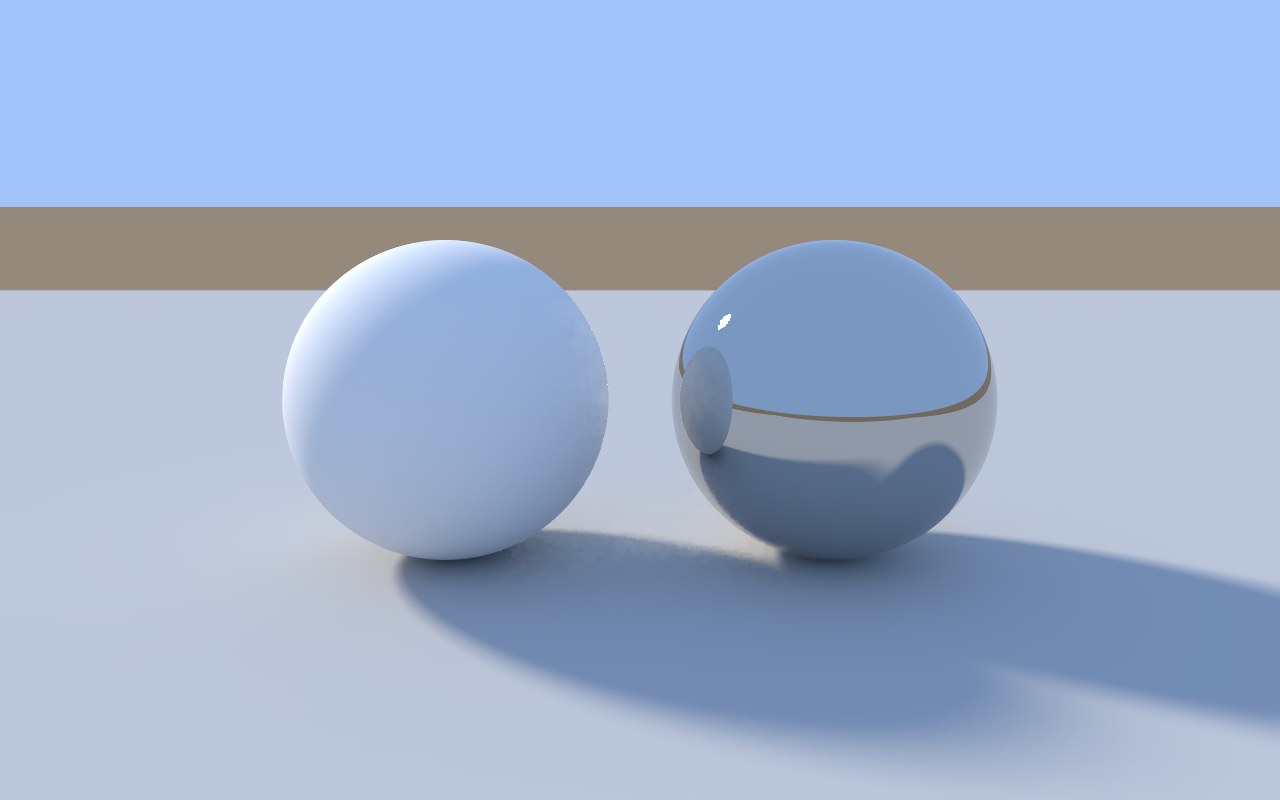
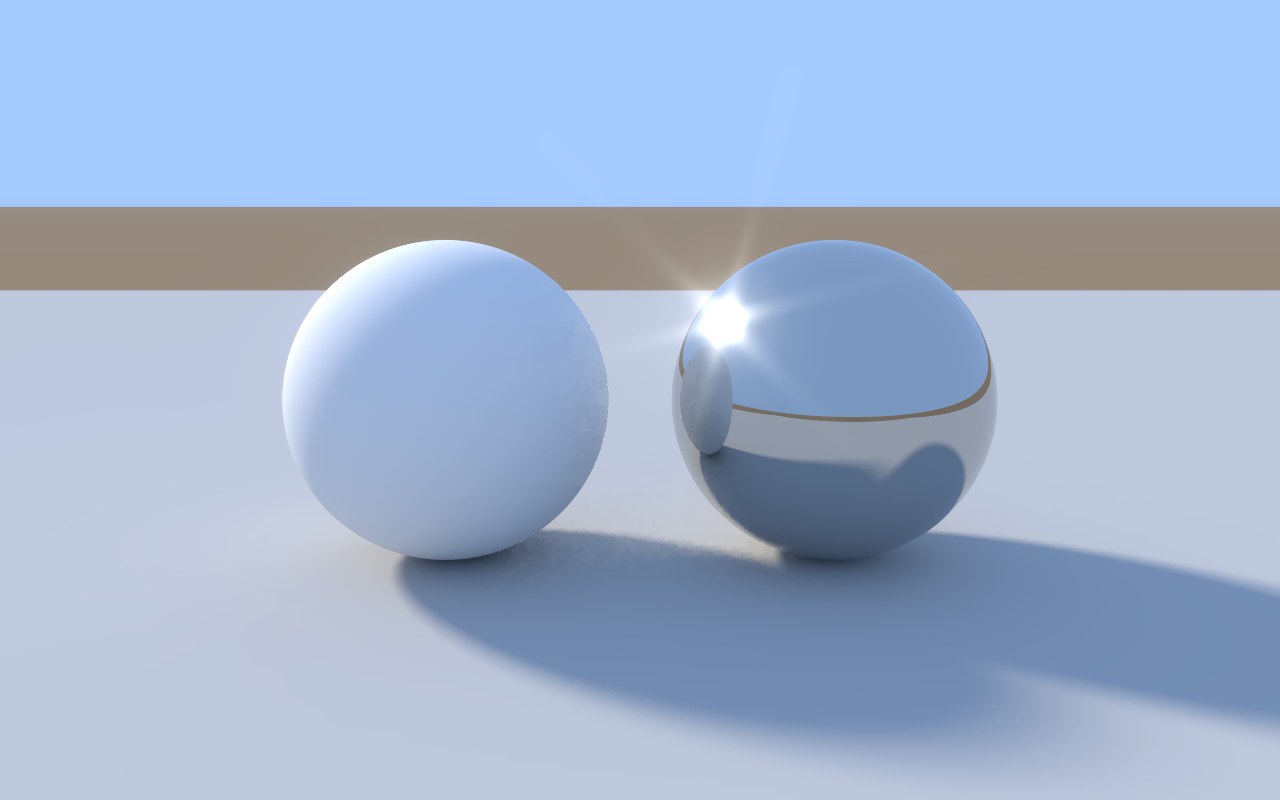
Glow
Glow lets the brightest parts of your render spill a soft halo into their surroundings: light strips seen through glass, sun glints on chrome, the hot spot on a gold cap.
- Subtle is a gentle softening, almost invisible until you turn it off.
- Strong is a clear, cinematic bloom.
Glare
Glare adds star-shaped rays to point-like highlights, like those from the blades of a camera's aperture. Choose a 4-point, 6-point or 8-point star.
Rays only come from tiny, very bright highlights, like a sun glint on chrome or a sparkle on a gem, which is where a real camera produces them. Broad bright areas, like a softbox or a window, simply glow instead of being stamped into a star. The rays are brightest right at the highlight and thin out quickly, the way light really spreads through a lens.
When you save
JPEG, PNG and 16-bit TIFF include glow and glare exactly as you see them on screen. EXR files stay clean, so you can add your own in Photoshop, Nuke or After Effects.