


Bring your work
Materials
How glass, metal, plastic, paint and glowing surfaces come across from your file, and how to get exactly the look you want.
How Auddomate sees a surface
Every surface in your model gets one of a handful of real-world material types, read from the material you set up in your 3D app. Each one handles light the way its real counterpart does, so you don't adjust reflections by hand: you choose what the surface is, and the light does the rest.
| Material | Looks like | What makes it |
|---|---|---|
| Matte | Chalk, unglazed clay, paper, a felt backdrop | A plain color with no reflection |
| Glossy | Plastic, rubber, ceramic, painted wood | A color under a clear, reflective skin |
| Metal | Gold, chrome, copper, brushed steel | A colored reflection with no color underneath |
| Clear coat | Car paint, lacquered wood, candy metal | A glossy lacquer layer over paint or metal |
| Glass | Bottles, windows, water, gems | Light passing through and bending |
| Light | Softboxes, screens, neon, LEDs | A surface that gives off light |
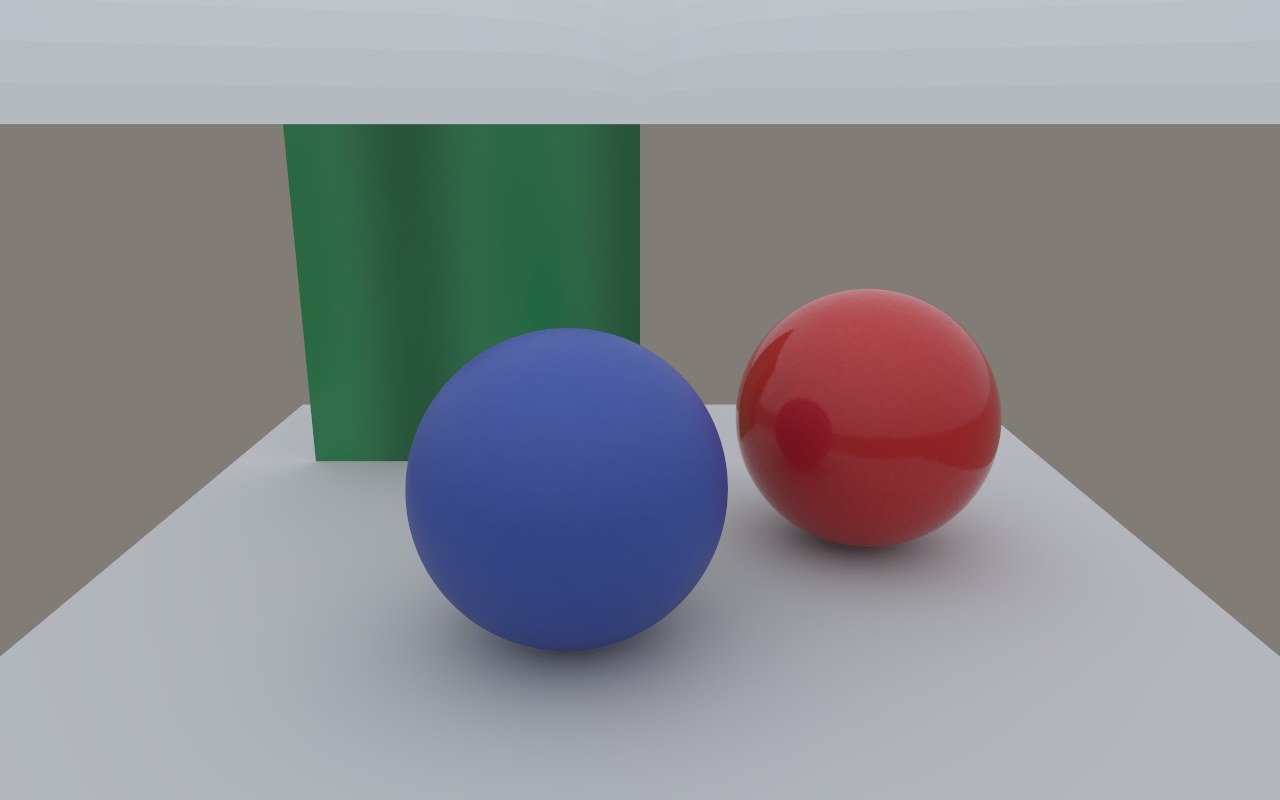
Non-metals: plastic, ceramic, paint
Almost everything that isn't metal or glass, like plastic, rubber, ceramic, painted wood and fabric, has a thin reflective skin. Look at it head-on and you mostly see its color; turn it towards the edge and the reflection of the room grows stronger. That's the Fresnel effect, and it's what makes surfaces read as solid and real instead of flat and chalky.
Auddomate gives every non-metal this skin automatically, as the glTF standard describes it. Your roughness decides how sharp the reflection is: low roughness gives a crisp, polished reflection; high roughness spreads it into a soft sheen.
Metals
Metals reflect everything and have no color underneath their reflection: their color is the color of the reflection. Set a material's metallic value to 1, and its base color becomes the color of the metal: pale yellow for gold, white for chrome, orange-pink for copper.
Roughness works just as on plastics: 0 is a mirror, and higher values give a brushed, satin or sandblasted finish. Gold and copper also shift color towards their edges, exactly as real metals do, because Auddomate works out each metal's reflection wavelength by wavelength.
Glass and liquids
Auddomate has two kinds of glass, and picks the right one from your file:
- Solid glass is for objects with thickness: a glass ball, a paperweight, a perfume bottle, a tumbler of water. Light bends as it enters and again as it leaves, so whatever is behind turns upside down, just like through a real glass ball.
- Thin glass is for single sheets, like windows, windscreens and display cases. Light passes straight through with the right reflections, instead of bending as if the window were a solid block.
In glTF and GLB, a material with transmission becomes thin glass, and one that also has a volume (thickness) becomes solid glass. Its IOR decides how strongly it bends light: 1.33 for water, 1.5 for ordinary glass, higher for crystal. You can change it in the studio too; see Change the index of refraction. A roughness above 0 gives frosted glass.
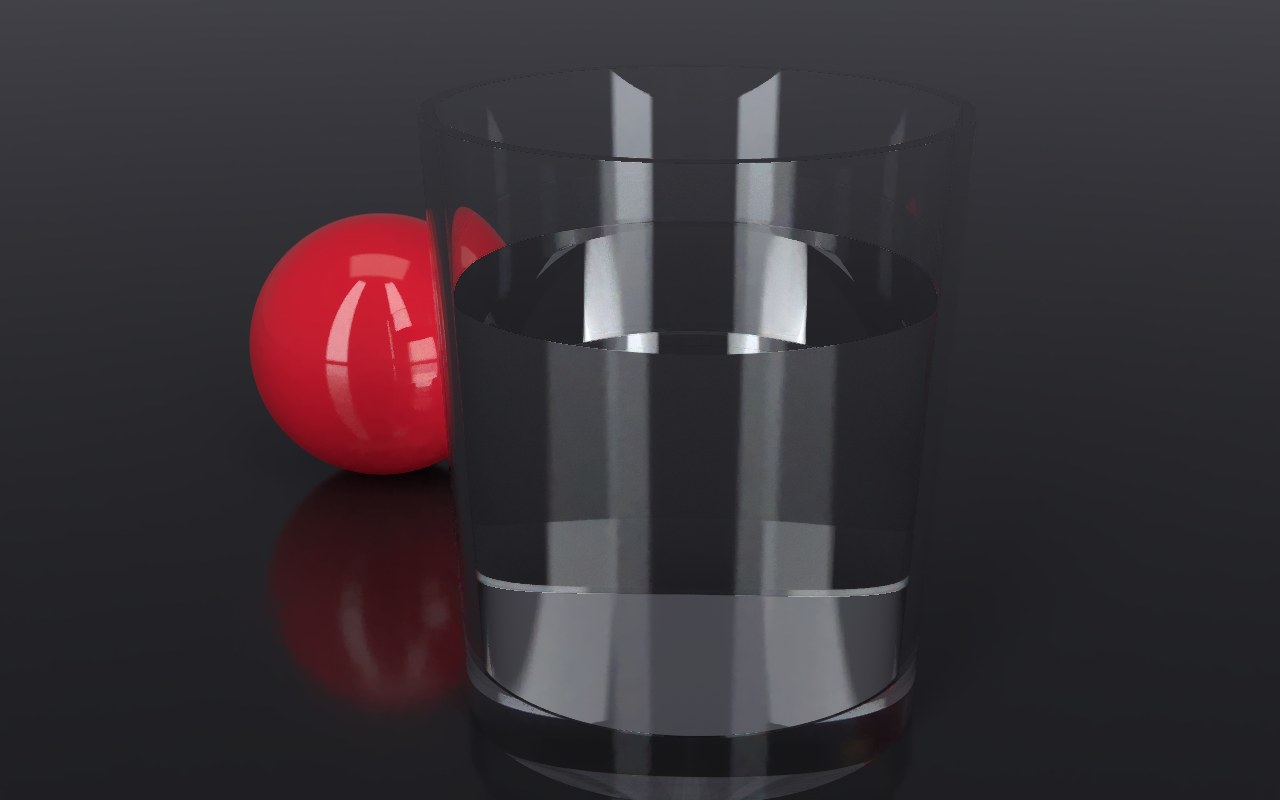
In OBJ, a material that's mostly transparent, or whose name mentions glass, window, windscreen or lens, becomes glass.
Colored glass and liquids
Rum, wine, perfume, tinted glass and gemstones get their color from inside: light loses a little of its color with every millimetre it travels through them. That's why a bottle of rum glows deep amber through its thick middle but is almost clear at its thin edges, and why the light that passes through throws a warm, colored patch onto the table.
Auddomate works exactly this way. For any solid glass or liquid in your scene, open the Scene tab and look under Materials:
- Color picks the color the light takes on: Clear, Amber, Whisky, Wine, Rosé, Emerald, Ocean or Smoke.
- Depth is how far light travels inside before it reaches that full color. A short depth makes the material dense and dark; a long one keeps it light, so only the thickest parts show much color. It's measured in real centimetres, so a rum bottle and a perfume bottle behave correctly at their own sizes.
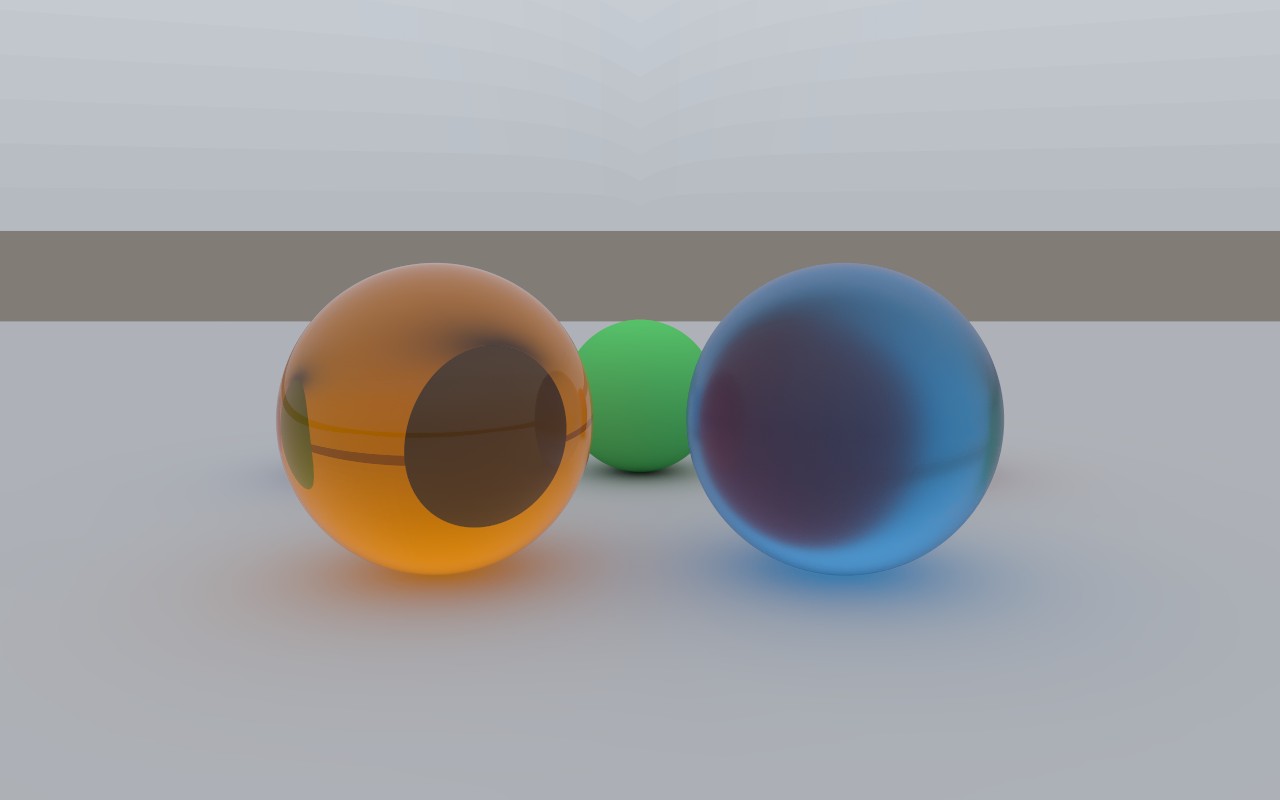
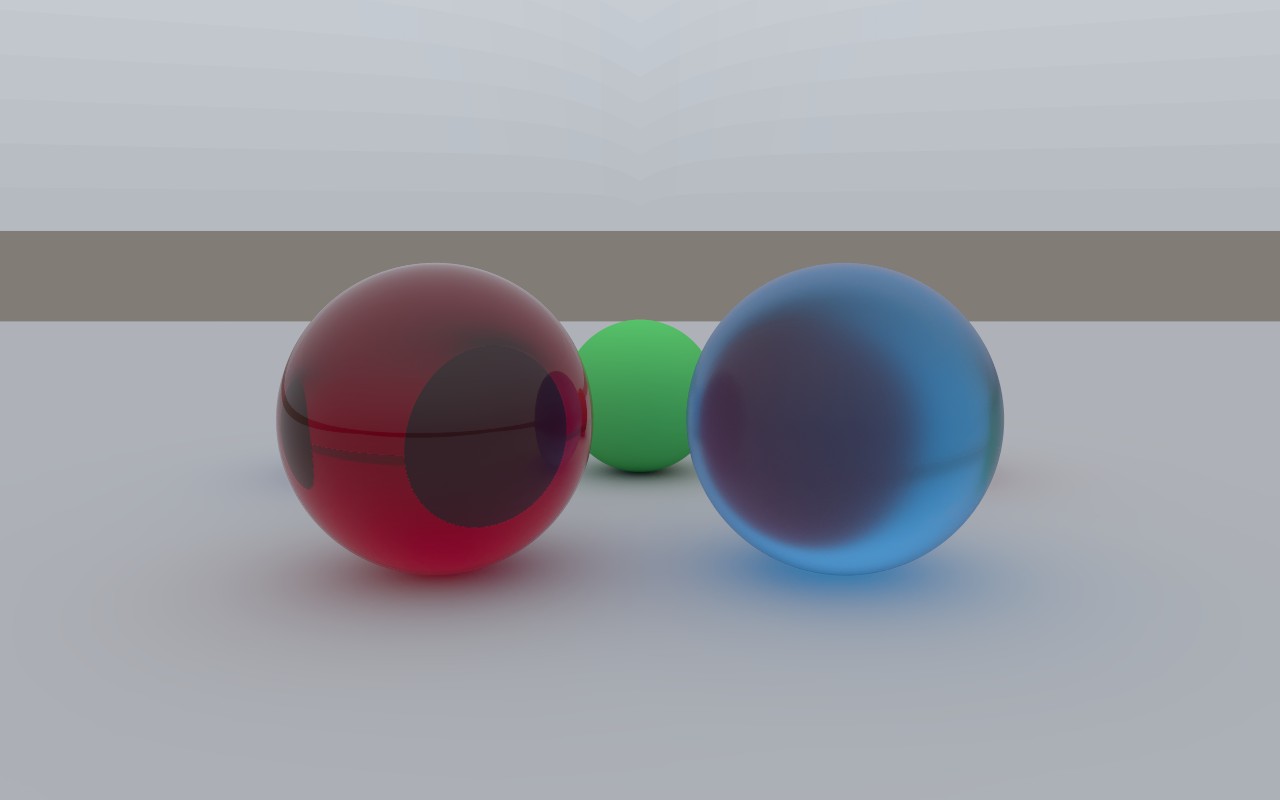
From your 3D app: a glTF or GLB glass with transmission, a volume, and an attenuation color and attenuation distance arrives already colored. These are the standard glTF settings for colored glass, though not every exporter writes them; if yours doesn't, set the color here instead.
Edit any material
Click any surface in the render, or choose it under Scene → Materials, and its settings open right below it:
| Setting | What it does |
|---|---|
| Type | What the surface is: Matte, Glossy, Metal, Clear coat, Glass or Thin glass. Change it and the light behaves accordingly |
| Under the coat | For Clear coat: lacquer over Paint, like a car body, or over Metal, like candy-coated chrome |
| Color | Pick a color from the swatches, with paints for most types and real metal colors for metals. Adjust color opens hue, saturation and brightness for any color you like |
| Roughness | How sharp reflections are: 0 is a mirror finish, higher spreads them into a soft sheen. For glossy and coated surfaces it's the coat that's rough |
| Index of refraction | How strongly glass, liquids and coatings bend and reflect light. See below |
| Color and Depth | For Glass: tint it like a liquid, and set how deep the color runs |
| Cloudiness and Spread | For Glass: make it translucent, like milk, wax, soap, jade, marble or skin. Spread sets how far light travels inside before it scatters |
Every change shows straight away, and the render starts again from the first sample. Back to the original puts one material back as your file had it, and Reset materials in the card's header puts them all back. Saved scenes keep your edits.
A surface with a texture keeps its texture's colors, and a surface that gives off light keeps the brightness from your file.
Translucent materials
Some materials let light in, bounce it around inside and send it back out somewhere else: wax, milk, soap, jade, marble, cloudy resin and skin. Their edges glow, their shadows turn soft and take on their color, and thin parts let light through.
To make one, choose Glass as the Type, then pick a Cloudiness:
| Cloudiness | Looks like |
|---|---|
| Milk | Dense, bright white, almost solid |
| Wax | Warm and creamy, glowing at the edges |
| Soap | Pale and soft, with a hint of blue |
| Jade | Deep green, glowing where it's thin |
| Marble | Cool white stone |
| Peach | Warm and fleshy, for skin, fruit and soft toys |
| Frost | Clear but cloudy, like frosted resin |
Spread sets how far light travels before it scatters. Shorter looks solid and waxy; longer lets more light through and looks more like frosted glass. It's measured in real millimetres, so a candle and a sugar cube each behave correctly at their own size. Color and Depth still work too, deepening the color the further light travels.
Light inside a translucent material is followed bounce by bounce, hundreds of times if it needs to be, so these materials take a little longer to come clean than clear glass. They're checked against pbrt-v4 like everything else: see T19 in Checks against pbrt-v4.
Change the index of refraction
Every glass, liquid and glossy surface has an index of refraction, or IOR: how strongly it bends and reflects light. Auddomate reads it from your file, and you can change it for each material, right in the studio. Click the glass, liquid or coating in the render, or choose it under Scene → Materials, and its slider opens right below it. Big models get a search box, so you can find a material by name.
| Material | IOR |
|---|---|
| Water | 1.33 |
| Glass, most plastics and paints | 1.5 |
| Crystal | 1.6 |
| Sapphire | 1.77 |
| Diamond | 2.42 |
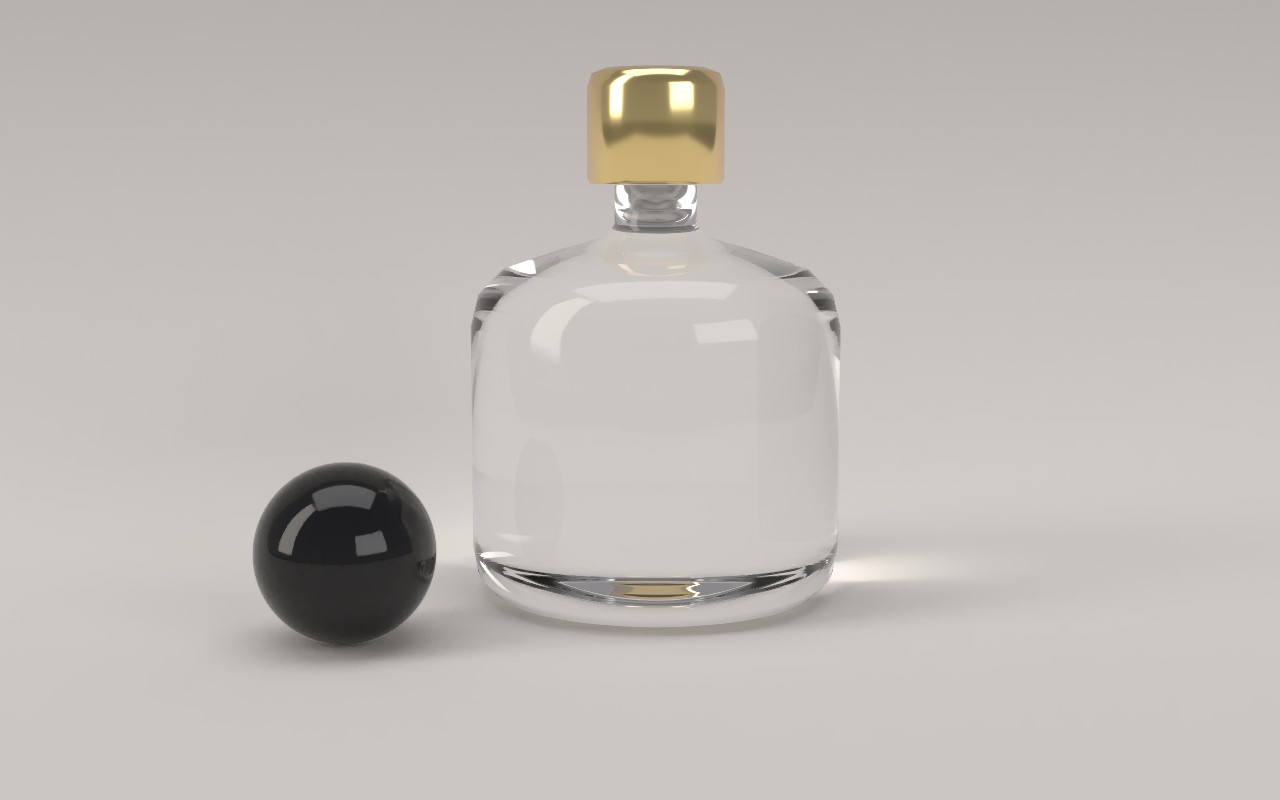
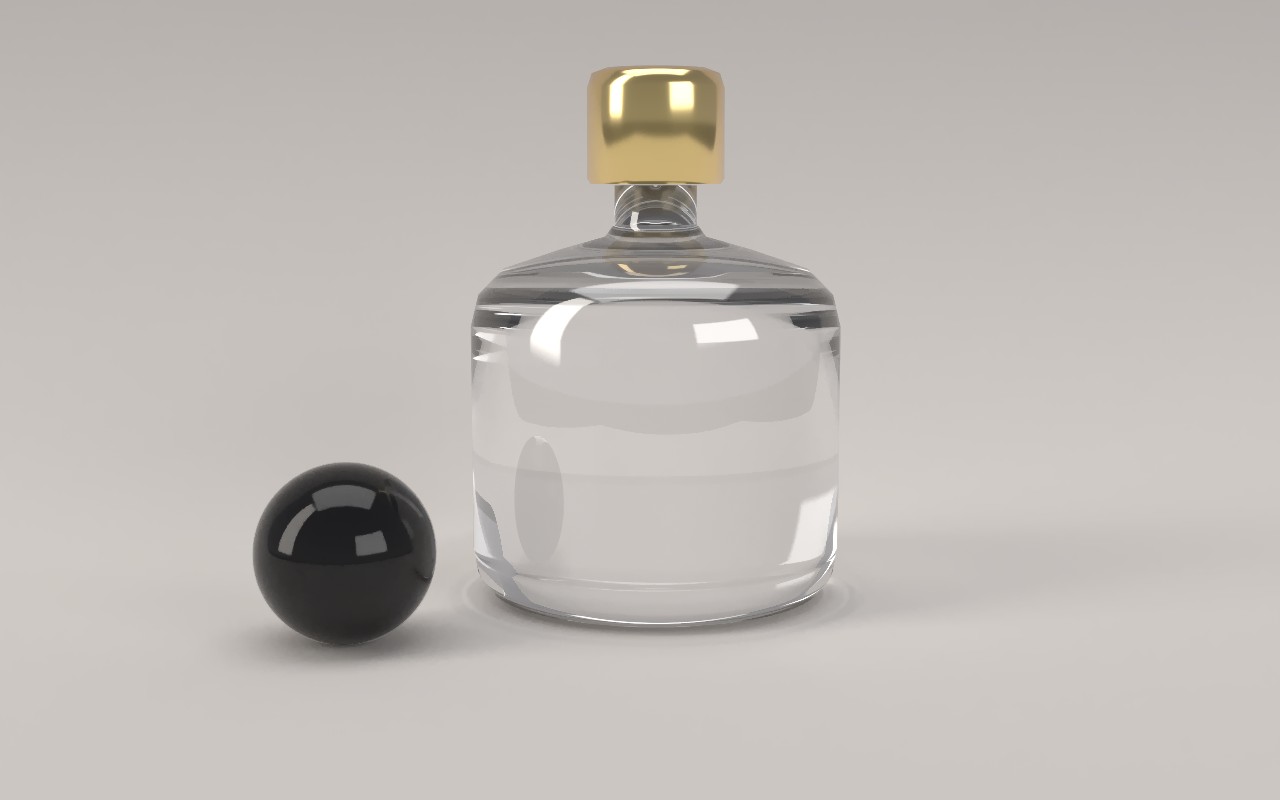
- On glass and liquids, a higher IOR bends light more: what you see through the object distorts further and its edges sparkle more. Lower values make it look thinner and more like water.
- On thin glass, a higher IOR reflects more and lets less through.
- On glossy coatings, like plastic, paint and glaze, a higher IOR gives stronger, wetter-looking reflections.
Some glass, like the tumbler in the Water glass scene, splits light into color as real crown glass does; its slider reads dispersive. Moving it sets a fixed index instead, which turns that color off. Press Reset materials to put every material back as your file had it.
Your changes stay with the scene for as long as the studio is open, and long renders that you pause and resume keep them. They don't change your file.
Clear coat
Car paint, lacquered wood and glazed tiles have a clear layer on top of their color. Light bounces off the lacquer and also passes through it, reflecting off the color underneath before it comes back out, which gives paint its depth.
Turn on clear coat (Blender: Coat) in your material and Auddomate builds that second layer. It works over metals too, for candy and anodised finishes. In OBJ files, materials named paint, lacquer, varnish or clear coat get a smooth clear coat automatically.
Glowing surfaces
Any material with an emission color becomes a light. A glowing plane is a softbox, a glowing strip is an LED bar, a glowing screen lights the face in front of it. The brighter its emission, or its emission strength in glTF, the more light it gives off.
Glowing surfaces are the best way to get soft, studio-style shadows from your file, because the bigger a light is, the softer its shadows.
Textures
Auddomate reads the image textures in your materials:
| Texture | What it does |
|---|---|
| Color (base color, diffuse) | Paints the surface: labels, decals, wood grain, prints |
| Roughness | Changes gloss point by point: fingerprints, wear, polished patches |
| Normal map | Adds fine bumps and grooves that catch the light without extra geometry |
| Transparency (alpha) | Makes parts see-through: a printed label on a glass bottle, or cut-out leaves |
Where a texture's alpha is see-through, Auddomate decides by its mode: in blend mode the clear parts become glass, perfect for labels on bottles; in mask mode they become holes, perfect for leaves, grilles and perforated panels.
Every colored pixel of a texture is turned into a smooth spectrum of light, just like every color you pick, so textures react to colored light naturally.
OBJ materials
OBJ's .mtl files are older and less precise than glTF, so Auddomate reads them carefully:
- Color comes from
Kdandmap_Kd. - A specular color (
Ks) makes the surface glossy, with its sharpness from shininess (Ns) or roughness (Pr,map_Pr). - Metal comes from
Pm, or from names like chrome, gold, steel or copper. - Glow comes from
Ke. - Normal maps come from
norm.
If something comes across wrong from an OBJ, exporting a GLB is almost always the fix.